Child Theming Workshop
with Kathryn Presner
http://zooninidev.com/child-theming/
Use ←left & right→ arrow keys to navigate
What You'll Need
- Local installation of WordPress
- Copy of Penscratch theme
- Copy of these slides - 11 MB
- Sample images (optional) - 2.4 MB
- Your favourite text/code editor – i.e. Atom, TextWrangler (Mac only), Sublime Text
Let's Get
Our Parent Theme
Penscratch
minimalist personal-blogging theme
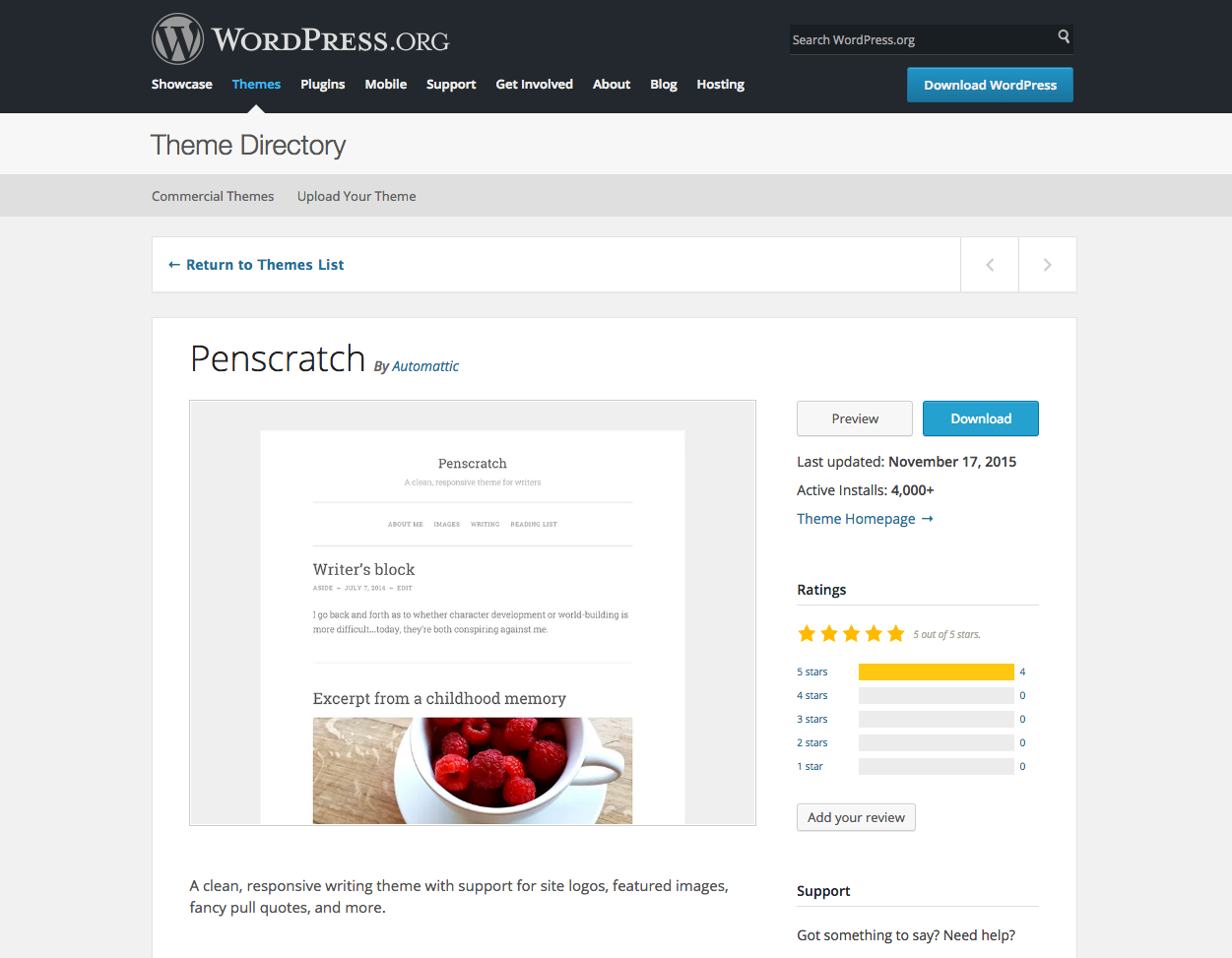
Penscratch
simple design, ripe for tweaking
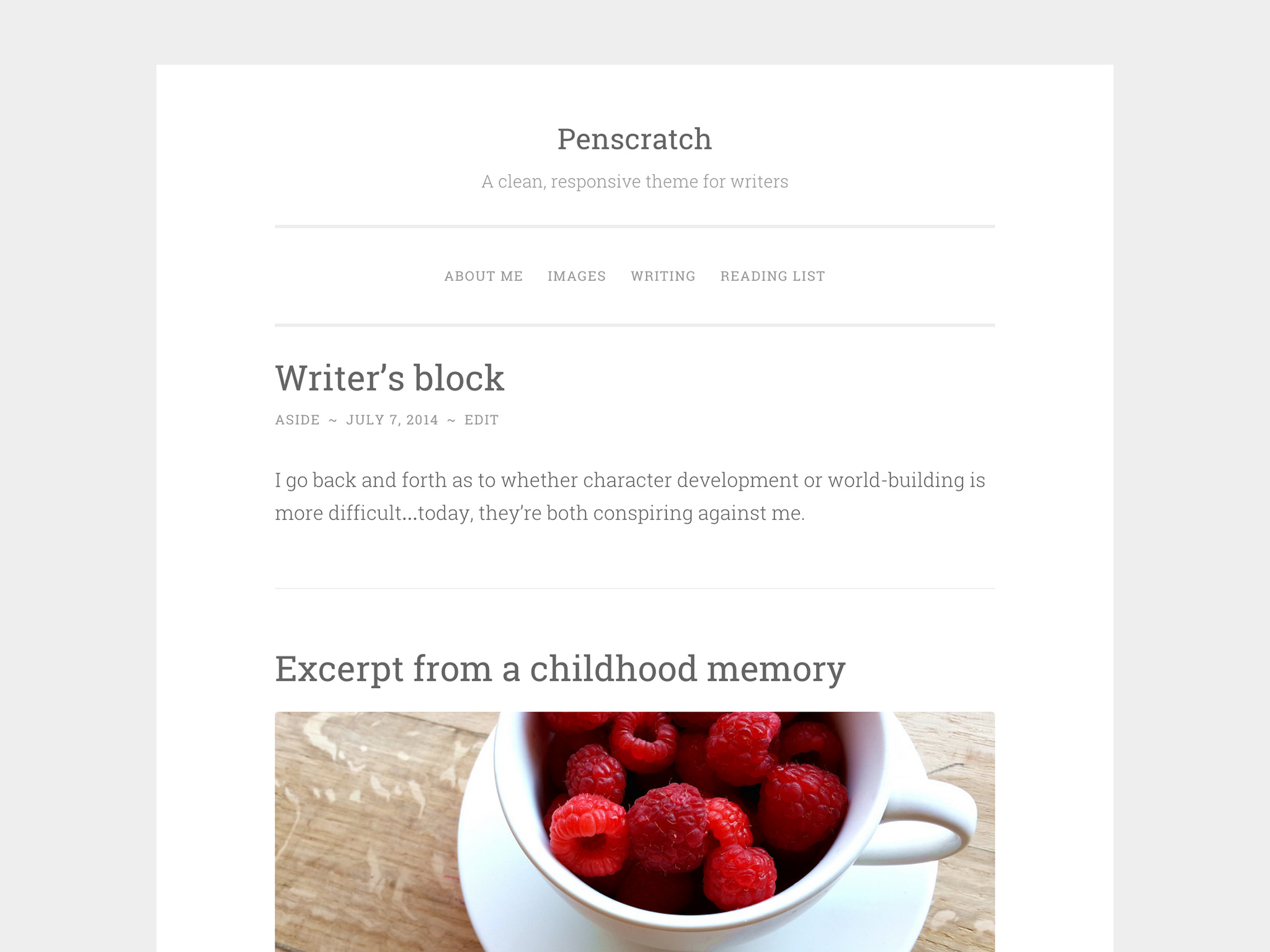
Download Penscratch
Appearance ⟶ Themes

Install Penscratch
Appearance ⟶ Themes

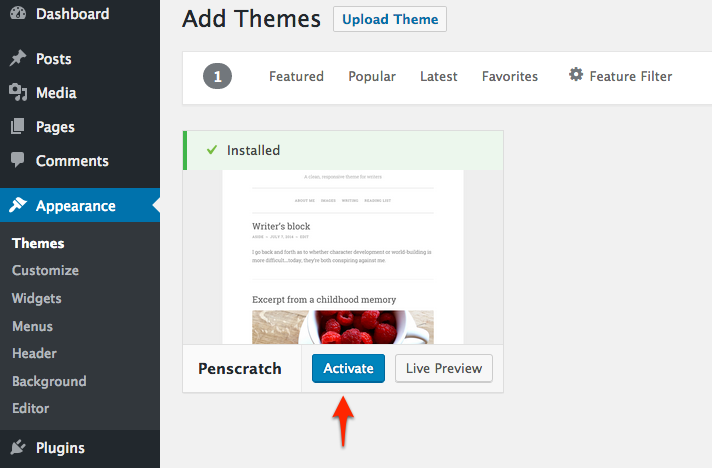
Activate Penscratch
Appearance ⟶ Themes
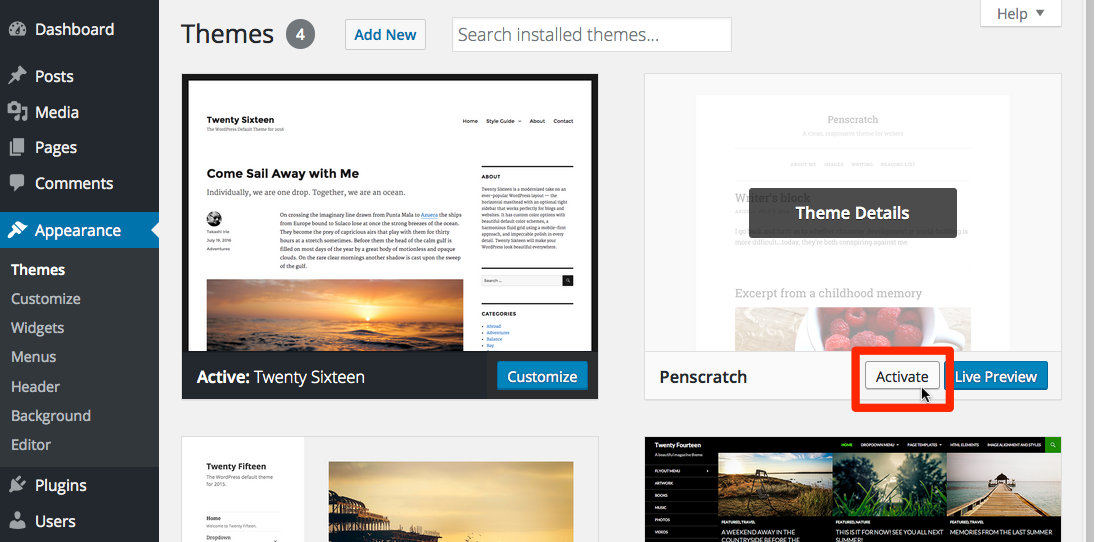
Activate Penscratch (if already downloaded)
Appearance ⟶ Themes
Let's Add Some
Content
Add Posts & Pages
- Add half-dozen posts with categories, tags & featured images. Be sure you have a couple of posts with a few paragraphs.
- Add a page or two.
- Try Meet the Ipsums for dummy content.
View Front End

Let's Start Our
Child Theme
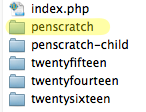
Create Empty Folder
penscratch-child

Child's folder name could theoretically be anything
No spaces or special characters
Create Stylesheet in Child Theme Folder
style.css
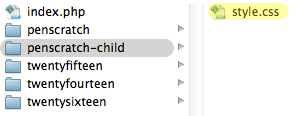
This file is required in a child theme
Add Stylesheet Comments
style.css
Add to top of file:
/*
 Theme Name:	Penscratch Child
 Description:	An original take on Penscratch
 Author:	Your Name
 Template:	penscratch
 Version:	1.0.0
*/
Only required lines: Theme Name & Template
Template Name must match parent folder name
(case sensitive!)
Activate Child Theme
Appearance ⟶ Themes
Find Penscratch Child
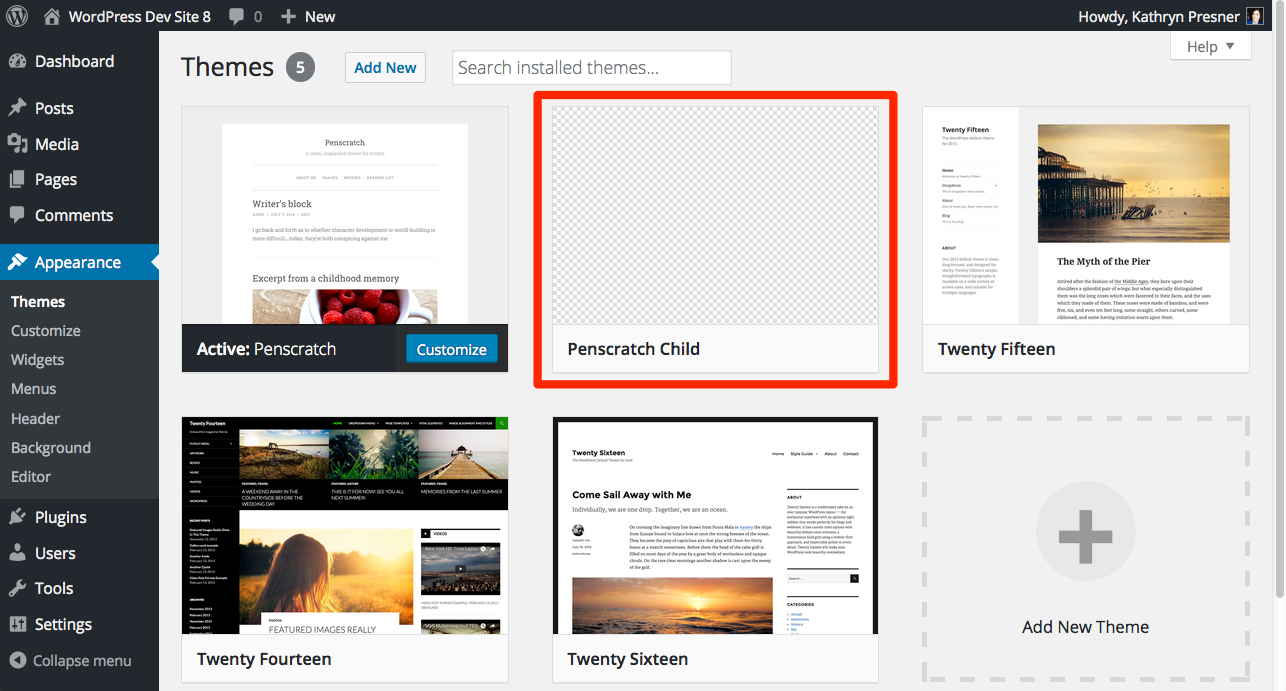
Activate Child Theme
Hover and click Theme Details

Activate Child Theme
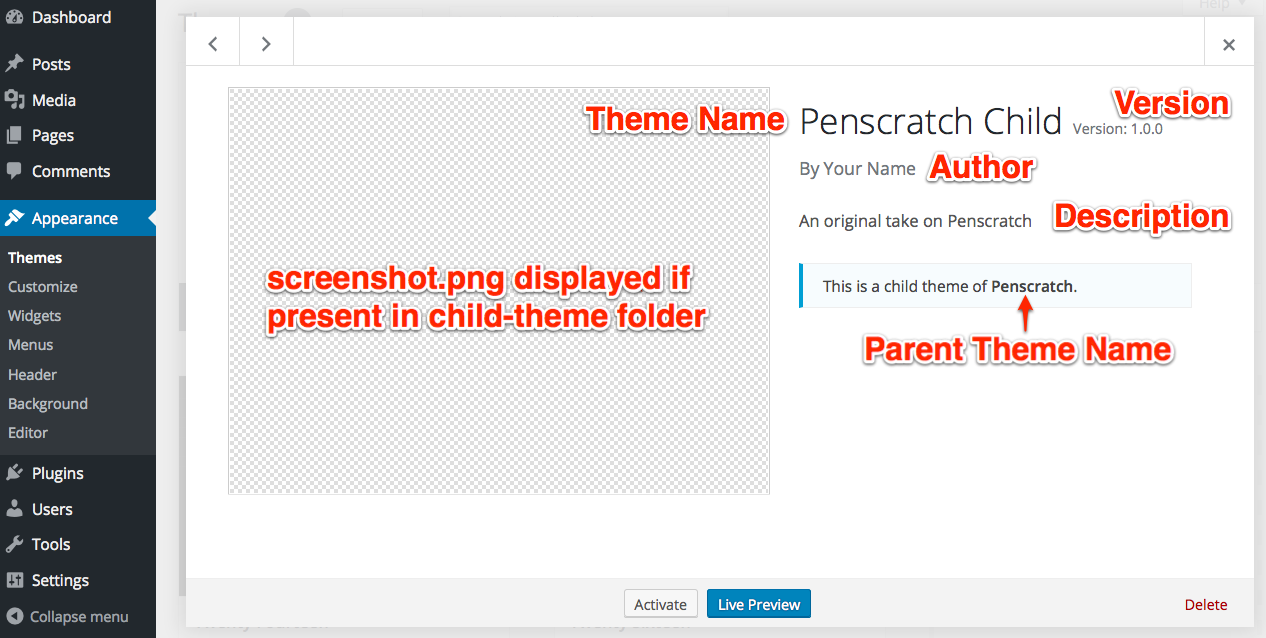
Some details from style.css are pulled in here
You can add a screenshot later once your child theme is finished
View Front End
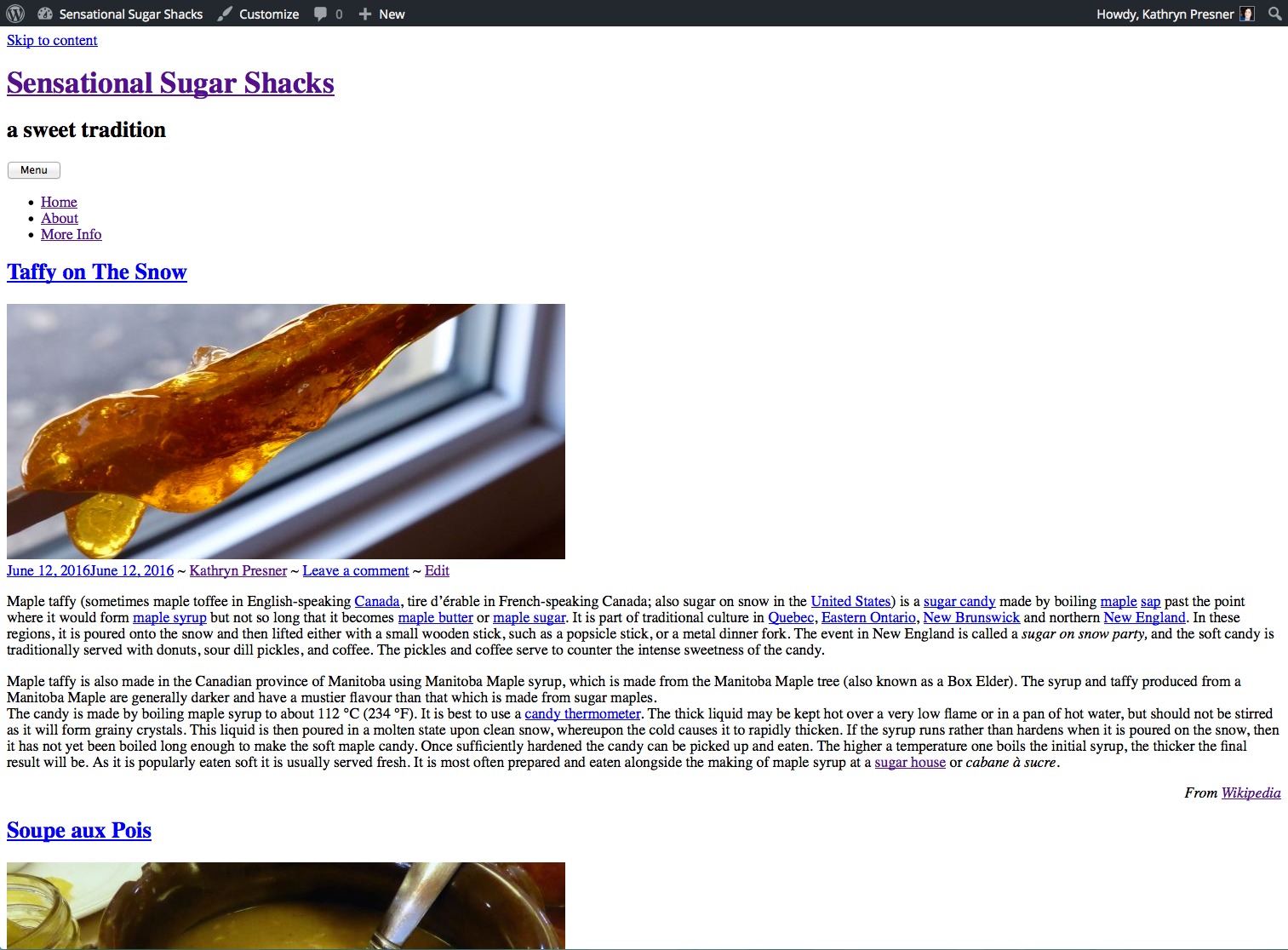
What's missing? Why?
We could write our child themes's CSS from scratch, but in our case we want to build on Penscratch's existing CSS.
Create Functions File in Child Theme Folder
functions.php

Enqueue Parent Stylesheet
functions.php
Add opening PHP tag at the top with nothing before it:

Then let's enqueue Penscratch's CSS file:
add_action( 'wp_enqueue_scripts', 'my_child_enqueue_styles' );
  function my_child_enqueue_styles() {
    wp_enqueue_style( 'parent-style', get_template_directory_uri() . '/style.css' );
}
Updated Child Theme
Refresh, how does it look now?
Familiar? It looks exactly like the parent, right?

Customizing
Appearance ⟶ Customize
- Site Identity: Adjust Site Title & Tagline
- Header Image: Upload a custom header
- Colors: Choose a custom Header Text colour and note hex code for later

Let's Add
Some CSS
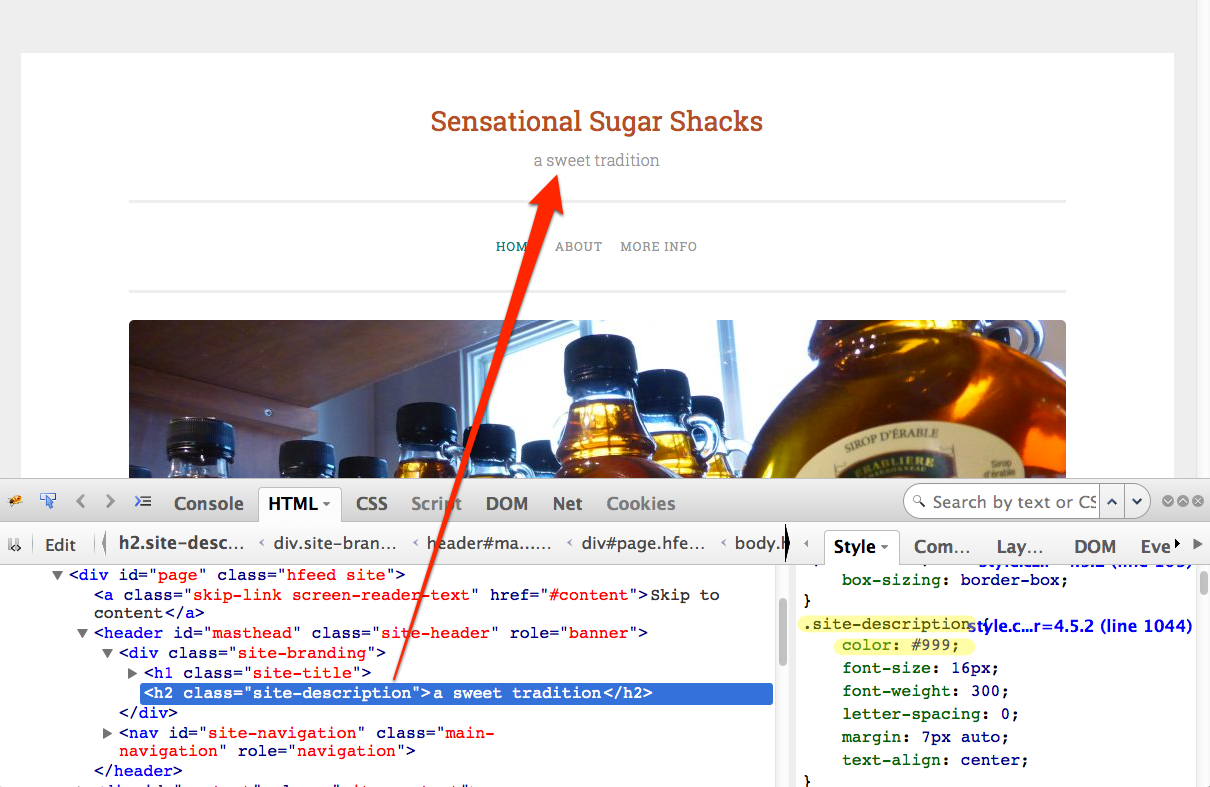
Change Look of Tagline
Use browser inspector
Change Look of Tagline
style.css
/* Change colour and style of tagline */
.site-description {
  color: #b2502c;
  text-transform: uppercase;
}

Use hex colour from earlier, or a colour picker: example 1, example 2
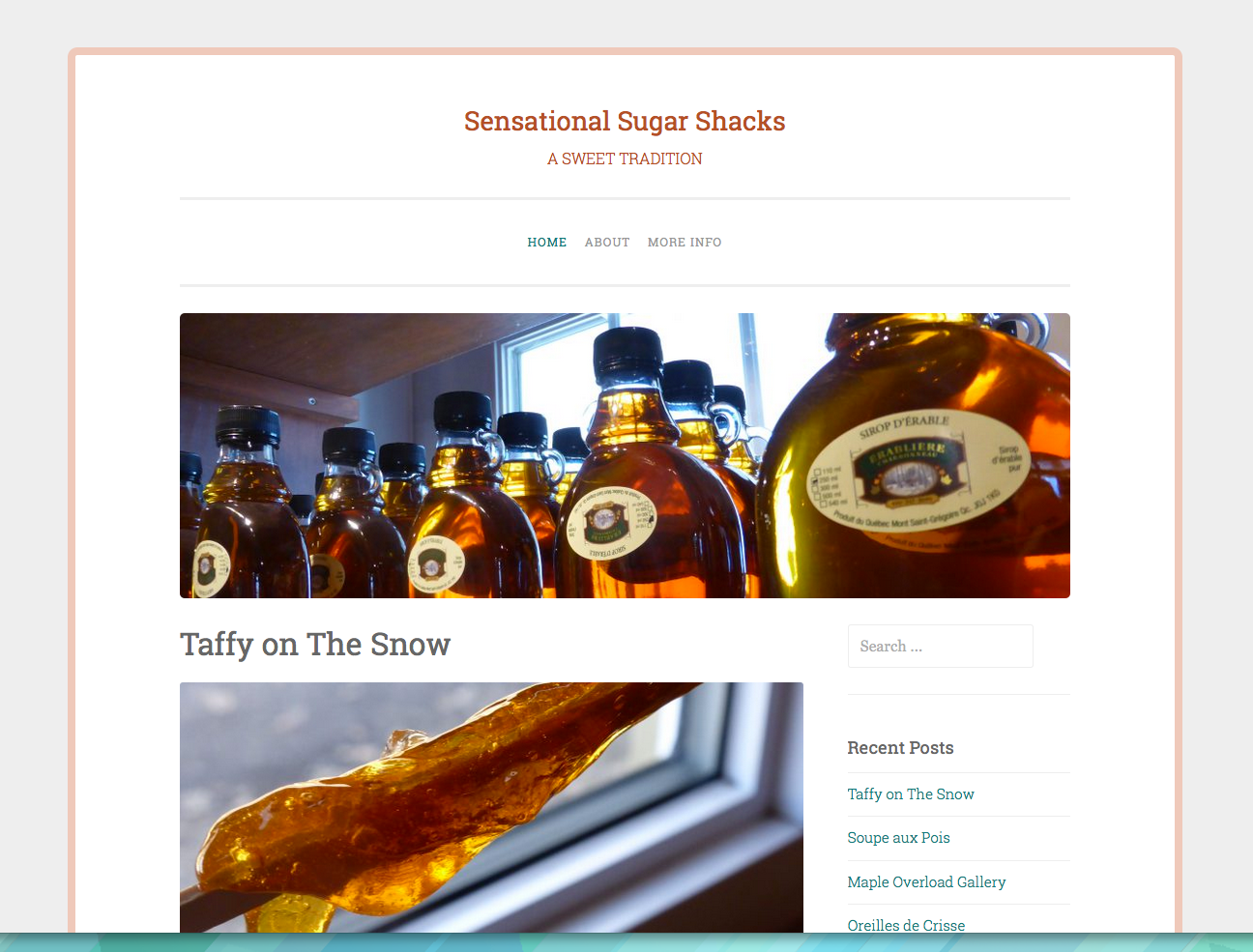
Add Page Border
style.css
/* Add border around page content */
.site {
  border: 8px solid #eec9bb;
  border-radius: 10px;
}
Child Theme CSS
- Lets you override existing values of elements (like a colour)
- Lets you add new properties to existing elements (like a border)
Important!
- Child theme's CSS should only include the bits you want to override
- Don't copy the entire parent's stylesheet in
Child Theme CSS
If you ONLY wanted to add CSS to tweak a theme, do you need a child theme?
NO!
A custom CSS editor is included with the Customizer.

Let's Override
Template Files
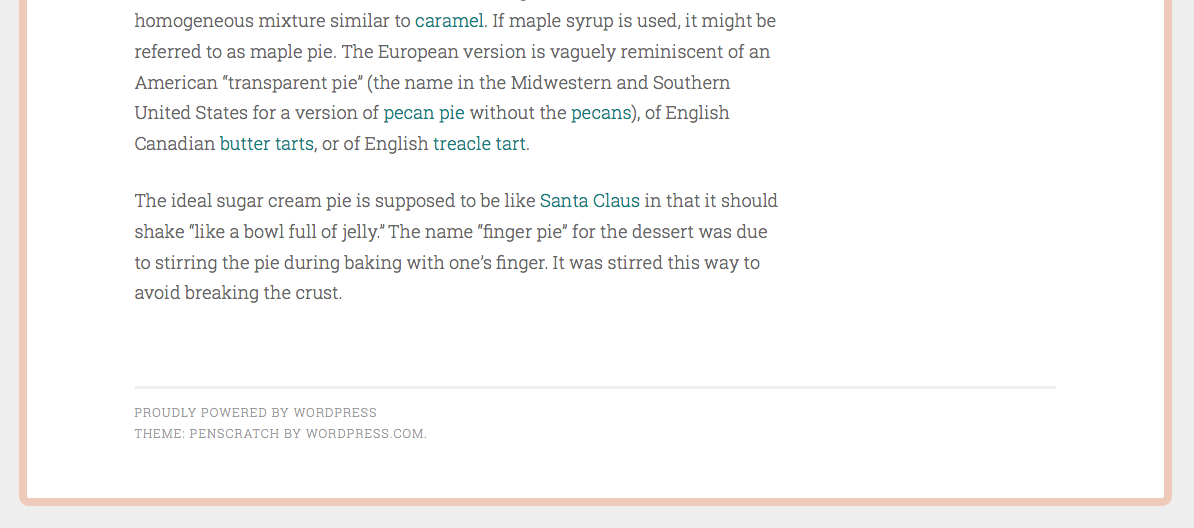
Overriding the Footer
Add our own text with a link
Overriding the Footer
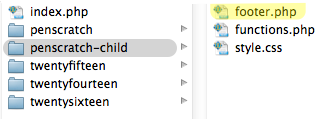
footer.php
- Find the file with the footer text
- Make a copy of footer.php
- Place copy in penscratch-child
- Make sure it's named footer.php
Overriding the Footer
footer.php
Open child theme's file in editor
Look at lines 14-18

Overriding the Footer
footer.php
Remove everything between opening and closing site-info div (ln. 15-17)
Replace with your own HTML
This site lovingly created by Kathryn Presner in June 2016

Overriding the Header
header.php
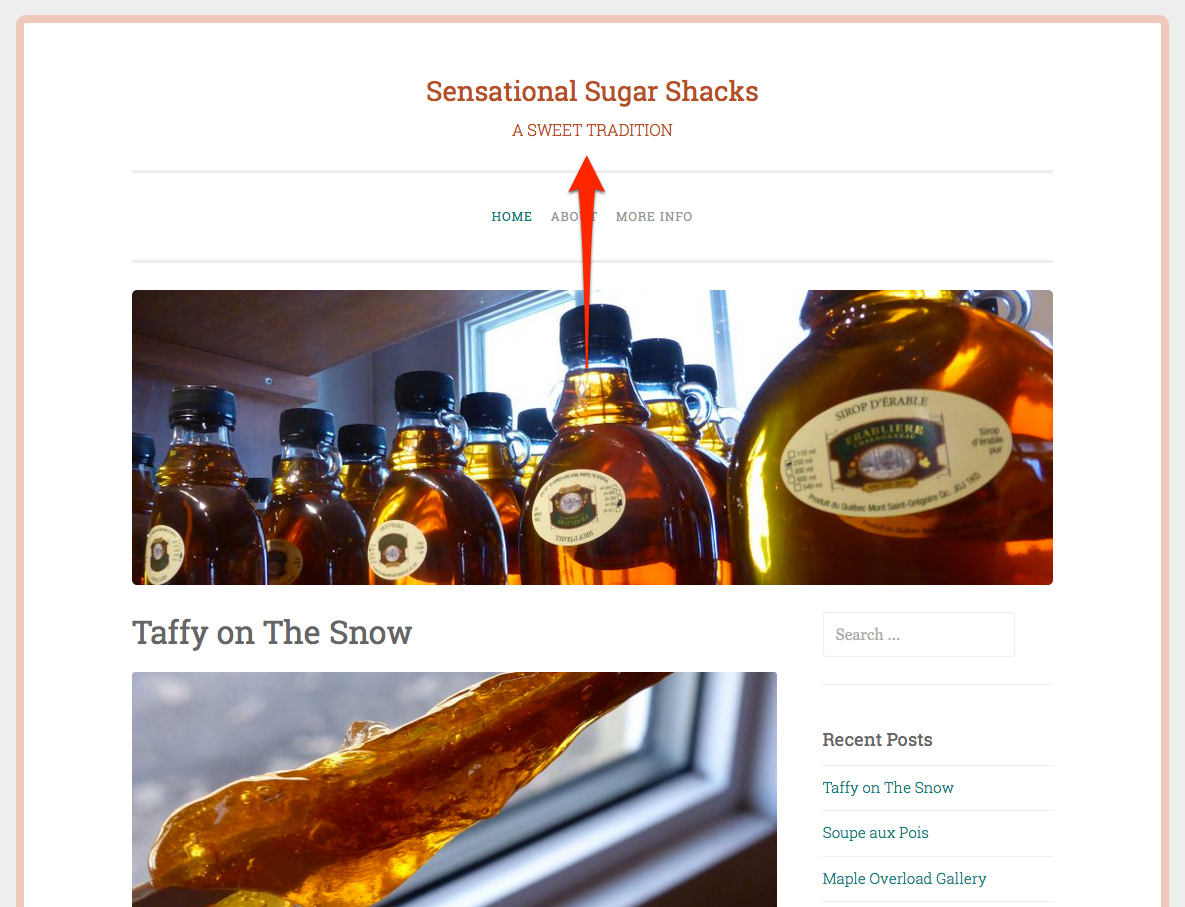
Let's move the custom header above the menu
Overriding the Header
header.php
- Find the file with the site title, header, menu, etc.
- Make a copy of header.php
- Place copy in penscratch-child
- Make sure it's named header.php

Overriding the Header
header.php
Open child theme's file in editor
Find lines 38-42

Overriding the Header
header.php
Move those header lines just above this nav element on line 31

Overriding the Header
header.php

Display Excerpts on Blog
content.php
- Find the file that drives blog display
- Check index.php
- Look at line 29:
get_template_part( 'content', get_post_format() ); - Make a copy of content.php
- Place copy in penscratch-child
- Make sure it's named content.php
Display Excerpts on Blog
content.php
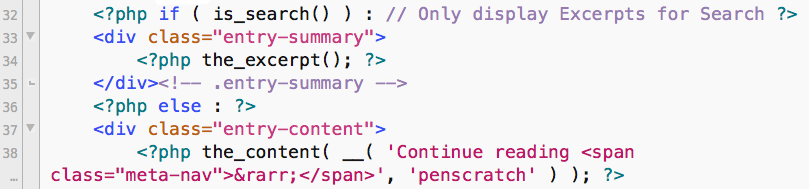
Look at ln. 32-38
Display Excerpts on Blog
content.php
Change:
if ( is_search() ) : // Only display Excerpts for Search
to:
if ( is_search() || is_home() ) : // Only display Excerpts for Search or Blog
|| means "or" in PHP
is_home() is a WordPress conditional tag meaning "is the blog page"
Display Excerpts on Blog

More Template Fun
Other fun things to do with templates in a child theme:
- Custom page template with layout users can choose on page-by-page basis, like my-super-duper-layout.php
- Page template that doesn't exist in parent, like front-page.php or category-fancypants.php
- Borrow element from another theme, like an author bio box, add to existing file like single.php
To name a few!
Get More Familiar With Template File Structure:
- Codex: Template Files
- Codex: Template Hierarchy
- Interactive WordPress Template Hierarchy
- Learn how to use multi-file search in your code editor
Let's Override
Functions
Functions Are Special
Important!
- Functions add features and functionality to a theme
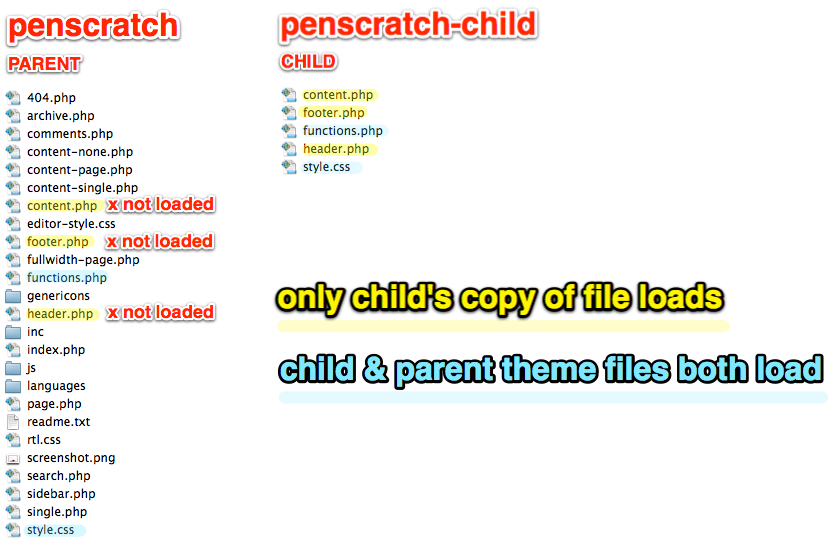
- Functions don't override those of parent
- Child's functions loaded first
- Then parent's functions are loaded next
Review
Which files are being used?
Adding a Function
What happens if we...
Copy the widget initialization function into our child theme as is? You don't need to actually do this :)
function penscratch_widgets_init() {
register_sidebar( array(
'name' => __( 'Sidebar', 'penscratch' ),
'id' => 'sidebar-1',
'description' => '',
'before_widget' => '',
'before_title' => '',
'after_title' => '
',
) );
}
add_action( 'widgets_init', 'penscratch_widgets_init' );
Adding a Function
Fatal error
Why did this happen?

Adding a Function
Avoiding fatals
If a function is pluggable you
can override it by copying it into child.
How to identify a pluggable function:
if ( ! function_exists( 'penscratch_site_logo' ) ) :

  function penscratch_site_logo() {
    add_image_size( 'penscratch-site-logo', '300', '300' );
  }

endif;
add_action( 'after_setup_theme', 'penscratch_site_logo' );
Example function only, not in the theme
Adding a Function
Avoiding fatals
You could remove the if/endif condition and copy the function into the child theme with changes:
function penscratch_site_logo() {
  add_image_size( 'penscratch-site-logo', '500', '500' );
}

add_action( 'after_setup_theme', 'penscratch_site_logo' );
Example function only, not actually in the theme
Identifying Pluggable Functions
Open the parent theme's functions.php file.
How many pluggable functions are there?
penscratch_content_width()penscratch_setup()
Note: functions (pluggable or not) can also be in other files besides functions.php
Other Ways of Overriding Functions
Setup functions can be long.
What if we just want to override a small part of it?
Action hooks and filter hooks can modify an existing function, in core or theme
From the Codex:
Actions allow you to add or remove code from existing Actions.
Filters allow you to replace specific data (such as a variable) found within an existing Action.
Tweak Default Excerpts
- Change
[...]to "Continue Reading" - Shorten excerpt to 20 words
Excerpt Filters
- Change
[...]to "Continue Reading" - Shorten excerpt to 20 words
function penscratch_child_excerpt_length( $length ) {
  return 20;
}
add_filter( 'excerpt_length', 'penscratch_child_excerpt_length', 999 );
function penscratch_child_excerpt_more($more) {
  global $post;
  return '...  Continue Reading';
}
add_filter('excerpt_more', 'penscratch_child_excerpt_more');
Codex references: excerpt length, read more
Tweak Default Excerpts

Overriding Post Format Support
Look at lines 80-82
add_theme_support( 'post-formats', array(
  'aside', 'image', 'video', 'quote', 'link'
) );

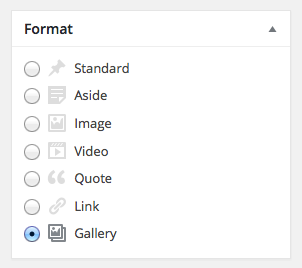
Add Gallery Post Format
functions.php
What if we want to add support for gallery post format?
Make a function for our child theme, adding gallery to the array.
function penscratch_child_formats() {
  add_theme_support( 'post-formats', array(
		'aside', 'image', 'video', 'quote', 'link', 'gallery'
	) );
}
add_action( 'after_setup_theme', 'penscratch_child_formats', 11 );
The number 11 at the end is the priority, which loads this function after the main setup to override it. (Default is 10.)
Add Gallery Format to a Post
Open one of your posts and choose the Gallery format for it.

What Else Could We Change?
Look at functions.php in parent for ideas
- Logo size
- Featured image size
- Default background colour
- Add widget areas
- Add different fonts
- Add other scripts
To name a few!
Final Child Theme
Experiment with more tweaks on your own!
Child Theming
Resources
Codex
Official Reference
More Resources
Tutorials and More
Connect With Me
- Find me on the web: https://kpresner.com
- Connect on Twitter: @zoonini
- Stalk my slides: SlideShare
- Watch my talks: WordPress.tv